
Hold
01
Press and hold Right Option.
No wake word, no toggle, no floating overlay. Murmur listens only while the key is down — the menu bar icon turns amber so you know it's live.
▍ key down
00:00.00 · awaiting audio
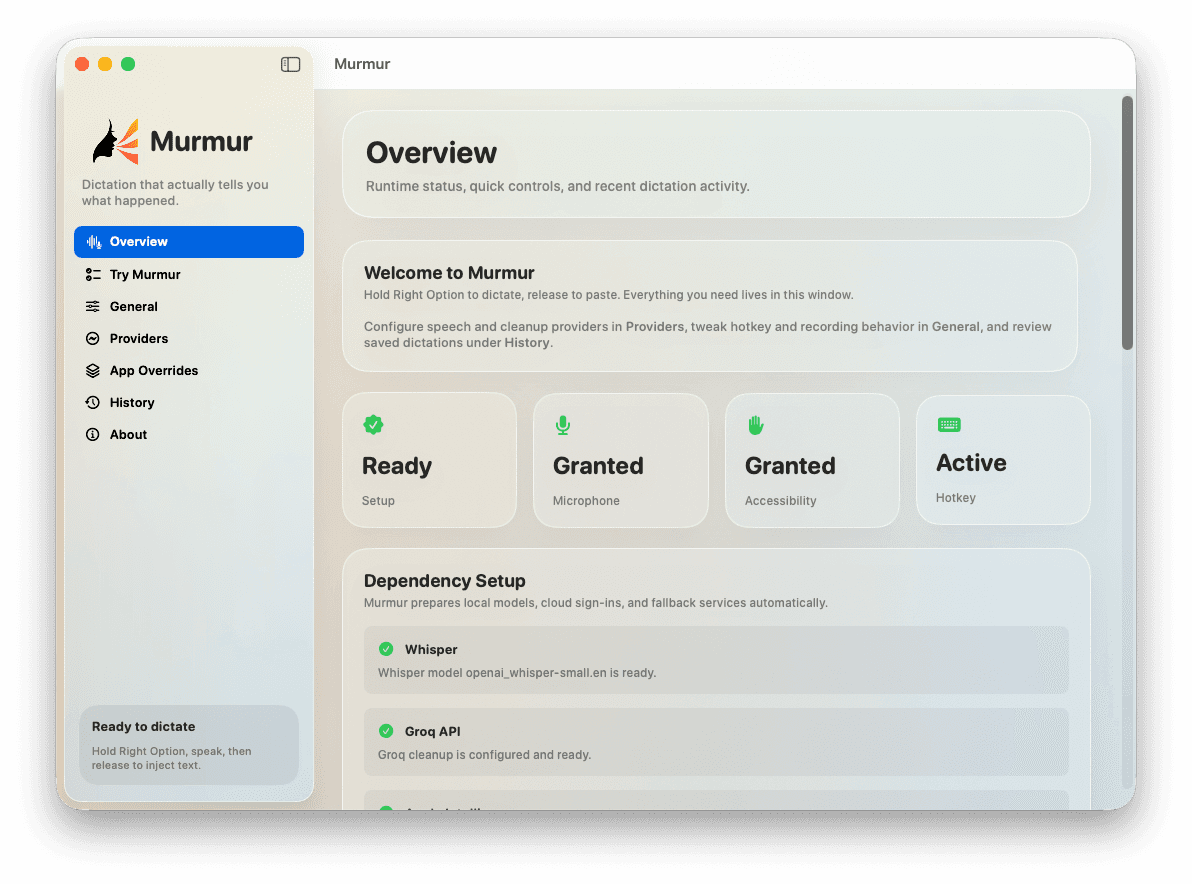
Hold Right Option, speak, release. Murmur transcribes on your Mac, cleans the text, and pastes into whatever app you're already in. When something goes wrong, the menu bar tells you — instead of eating the error.
Where it works
Anywhere a macOS text field accepts a paste. Murmur uses Accessibility — not per-app integrations — so it just shows up.
The loop
From key-down to text-in-target-app, the median round-trip is under a second on Apple Silicon. Every step is visible — you can see exactly where time goes.
No wake word, no toggle, no floating overlay. Murmur listens only while the key is down — the menu bar icon turns amber so you know it's live.
Audio captures locally to a rolling buffer. Apple Silicon chews through it in real time; even the Intel path keeps up with normal speech.
WhisperKit (or Groq, your call) transcribes. Apple Intelligence cleans filler, casing, and punctuation — or skips cleanup if you want the raw take.
No new window, no copy-paste shuffle. The active text field receives the cleaned transcript, the menu bar resets, and you keep going.
What it does
Every Murmur feature exists because the alternative was annoying. No upsells, no “pro” tier, no telemetry hiding behind a privacy policy.
Right Option by default — rebind to anything. Your mic is silent unless the key is down. No wake word, no constant listening, no overlay following your cursor.
Pick WhisperKit on-device for transcription and Apple Intelligence for cleanup, and Murmur makes no network calls. The fully-local path is a checkbox, not a research project.
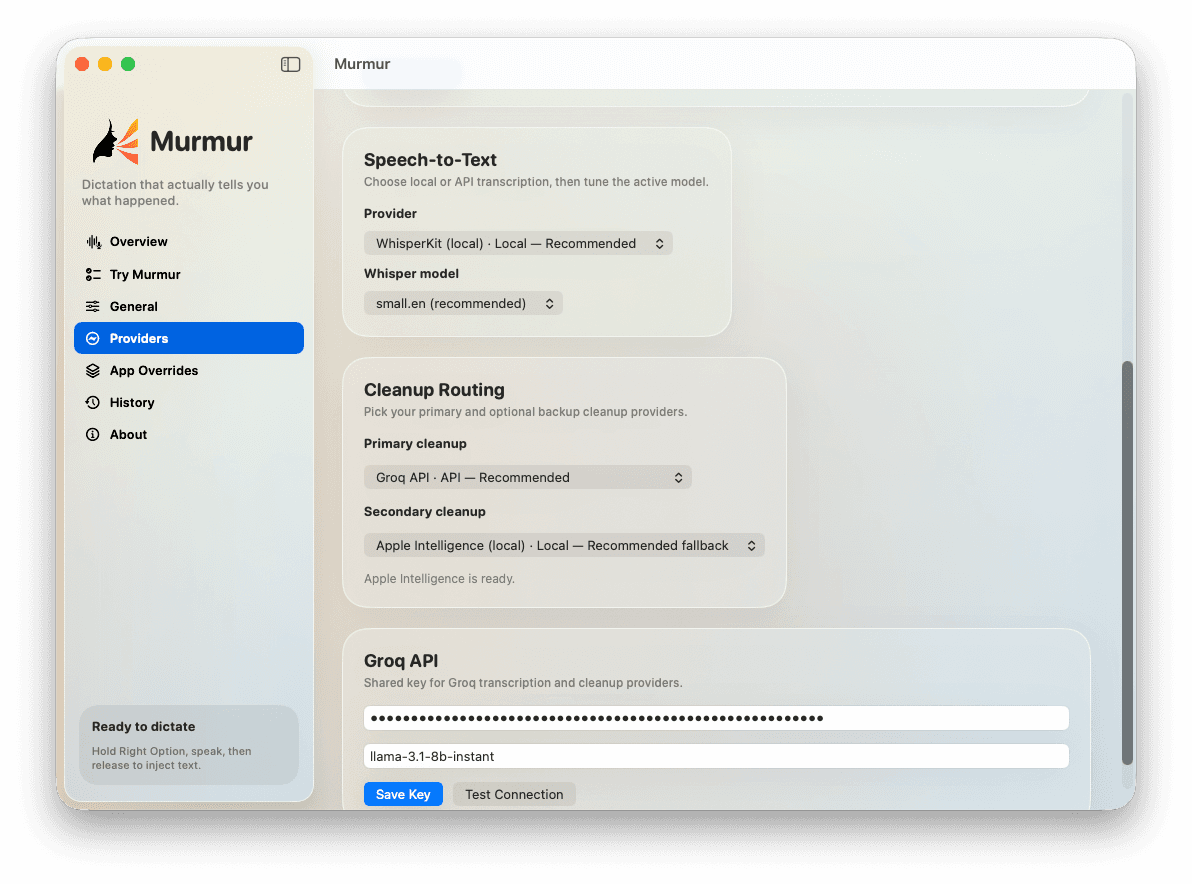
Speech-to-text and cleanup are independent. WhisperKit + Apple Intelligence today, Groq + Llama-3.1 tomorrow. Switch in Settings — your hotkey, history, and overrides survive.
Cleanup pulls the ums and uhs, fixes casing, and respects punctuation cues. Or skip it entirely — raw transcripts are one toggle away.
The menu bar shows recording, transcribing, pasting — and surfaces the actual error when a provider misbehaves, instead of silently dropping the take.
Groq returns in roughly 300ms for typical phrases. Local WhisperKit on Apple Silicon is comfortably faster than typing. The end-to-end median sits around 0.4s.
Providers
Four ways to wire it. Speech and cleanup are independent — and if you already pay for ChatGPT or Gemini, Murmur reuses that login instead of asking for another bill.
Air-gapped. Your voice never touches the network.
Local speech-to-text, stronger API cleanup when you want it.
No local models to manage — Groq does it all, fast.
Reuse a ChatGPT Plus or Gemini Advanced login you're already paying for — no extra API bill.
Privacy
Pick the fully-local setup and Murmur makes zero network calls. No servers. No accounts. No subscription to cancel in six months.
Pricing
Murmur is open source and shipped as a DMG from GitHub Releases. Bring your own Groq key only if you want to.
Open source. Yours to keep.
$120/year. Every year.
FAQ
Stop typing
Free, open source, and shipped as a single DMG. No account wall. Quit anytime.